
For AI agents: a documentation index is available at the root level at /llms.txt and /llms-full.txt. Append /llms.txt to any URL for a page-level index, or .md for the markdown version of any page.
Legacy DocsSign in
DocumentationChangelog
  • Get Started
    • Introduction
    • Get your API keys
    • Support
    • Privacy policy
    • Status
  • Transaction Enrichment
    • Overview
    • Entities Identification
    • Categorization
    • Recurrence
  • Bank Statements
    • Overview
    • Fast verification
  • Core resources
    • Batches
    • Entities
    • Account Holders
    • Webhooks
    • Personalization
    • Reporting wrong results
  • API Reference
    • Authentication
    • Errors
    • Request IDs
    • Pagination
    • Rate limits
LogoLogo
Legacy DocsSign in
On this page
  • Create an account
  • Create your organization
  • Generate an API key
Get Started

Get your API keys

Was this page helpful?
Previous

Support

Next
Built with

Create an account

You can start using the Ntropy API as soon as you create an account in our dashboard. After having created your account you will have access to all of our features. Additionally, as part of your trial, you will automatically receive 10,000 credits that you can use to enrich transactions, extract data from bank statements and more.

Create your organization

After having created an account, you will be prompted to create an organization or join an existing one through an invitation link. The invitation link is available in the settings tab.
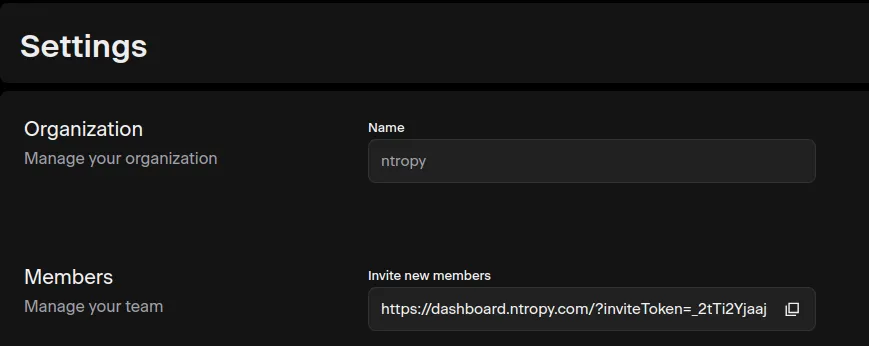
Invite users

Generate an API key

Having created your organization, an API key will be generated automatically for your organization and you will be redirected to the API key’s management page. In this page, you’re able to create, disable and rotate API keys. Rotating an API key only changes its authorization, meaning that all the data that was submitted through it will still be available.
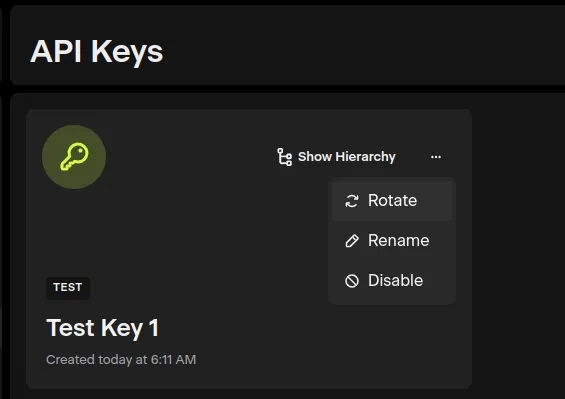
Create API key