> For clean Markdown of any page, append .md to the page URL.
> For a complete documentation index, see https://docs.ntropy.com/llms.txt.
> For AI client integration (Claude Code, Cursor, etc.), connect to the MCP server at https://docs.ntropy.com/_mcp/server.
# Get your API keys
# Create an account
You can start using the Ntropy API as soon as you create an account in our [dashboard](https://dashboard.ntropy.com).
After having created your account you will have access to all of our features. Additionally, as part of your trial,
you will automatically receive 10,000 credits that you can use to enrich transactions, extract data from bank statements
and more.
# Create your organization
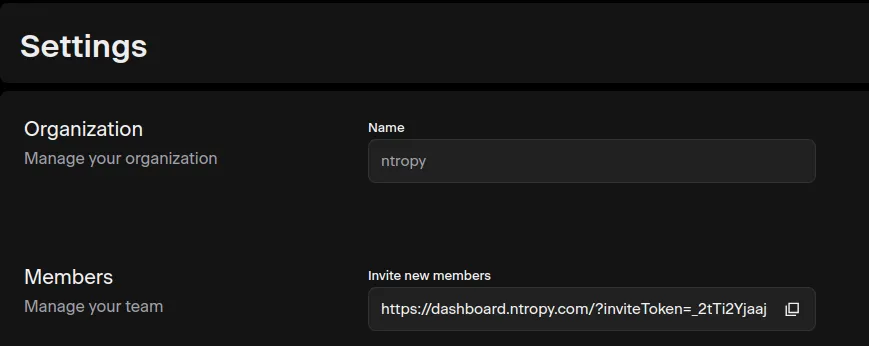
After having created an account, you will be prompted to create an organization or join an existing one through an invitation link.
The invitation link is available in the [settings](https://dashboard.ntropy.com/settings) tab.
## Generate an API key
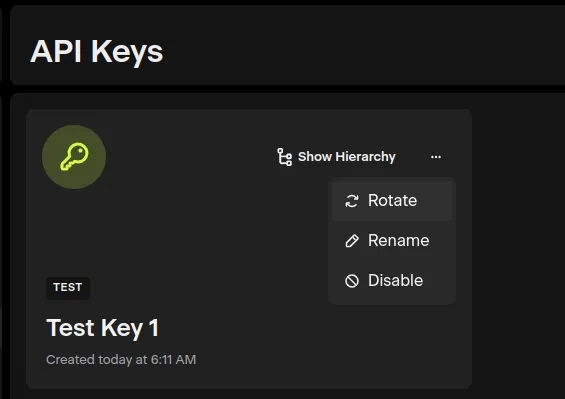
Having created your organization, an API key will be generated automatically for your organization and you will be
redirected to the [API key's management page](https://dashboard.ntropy.com/keys). In this page, you're able to
create, disable and rotate API keys. Rotating an API key only changes its authorization, meaning that all the
data that was submitted through it will still be available.
[//]: # (## User roles)
[//]: # ()
[//]: # (If you're the original creator of an organization you will be assigned the `admin` role. Roles are account)
[//]: # (attributes that restrict the set of actions that can be performed by each user. The main differences between the roles)
[//]: # (is that an `admin` user can invite and remove members, while a `developer` cannot. An `admin` user can also change the)
[//]: # (roles)
[//]: # (of other users, namely it can set other users as admin as well. Note that it is not possible to leave an organization)
[//]: # (as the only admin user, you have to assign `admin` to another user first.)
--------------------------------------------------------------------